
一次不成功的出国代理
- Ubuntu
- 2025-02-22
- 96热度
- 0评论
服务器系统:ubuntu24.04,内网地址:192.168.2.15
操作系统:win10,代理软件:v2rayN,内网地址:192.168.2.13
ubuntu安装 proxychains
sudo apt install proxychains4
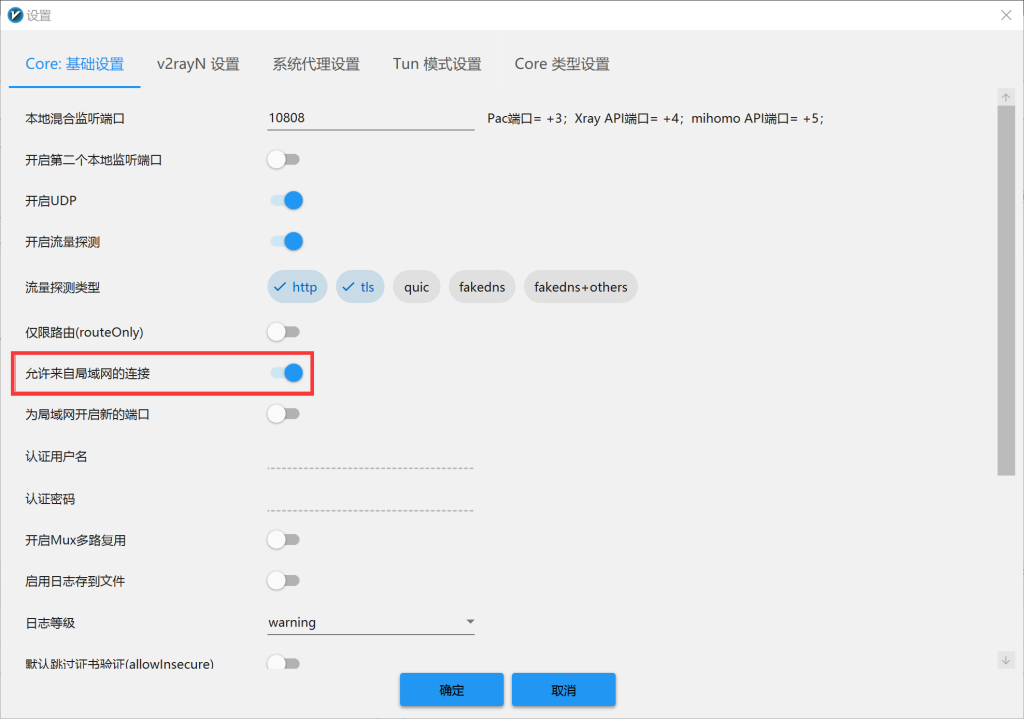
win10中打开v2rayN设置-参数设置-如下图
再到服务器-右击-导出服务器所选配置-复制到剪切版
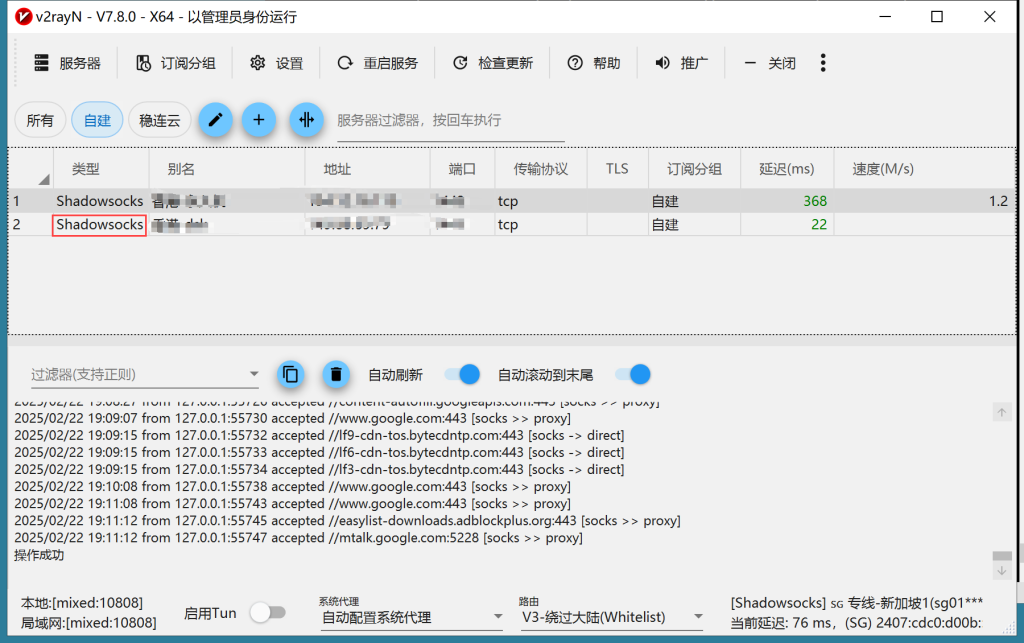
得到V2Ray 监听地址和端口:
"listen": "127.0.0.1": V2Ray 监听本地回环地址。
"port": 10808: V2Ray 监听端口为 10808。
"protocol": "socks": 使用 SOCKS 协议。
ubuntu运行
vi /etc/proxychains4.conf
最底部添加
socks5 192.168.2.13 10808
保存退出
sudo proxychains4 curl -v https://www.google.com
sudo proxychains4 curl -v http://www.google.com
sudo proxychains4 curl -v http://www.google.com 命令成功执行, 并且输出显示通过了 proxychains 和 V2Ray 连接到 Google 的服务器。 这表明现在你的 Ubuntu 服务器可以通过 Windows 上的 V2Ray 客户端访问互联网了!
总结:
sudo proxychains4 apt update依然失败。
V2Ray 必须正在运行,并且监听在 192.168.2.13:10808 上。
/etc/proxychains4.conf 文件必须指向 192.168.2.13:10808。